


Bwat for VS Code
Give the agent the editor
Keep the review for yourself
Bwat can search the workspace, trace how the code fits together, edit several files, run commands, and test the result. VS Code is the best surface when you want that work beside the code and every proposed change in a native diff.
Available for VS Code on Windows, macOS, and Linux.
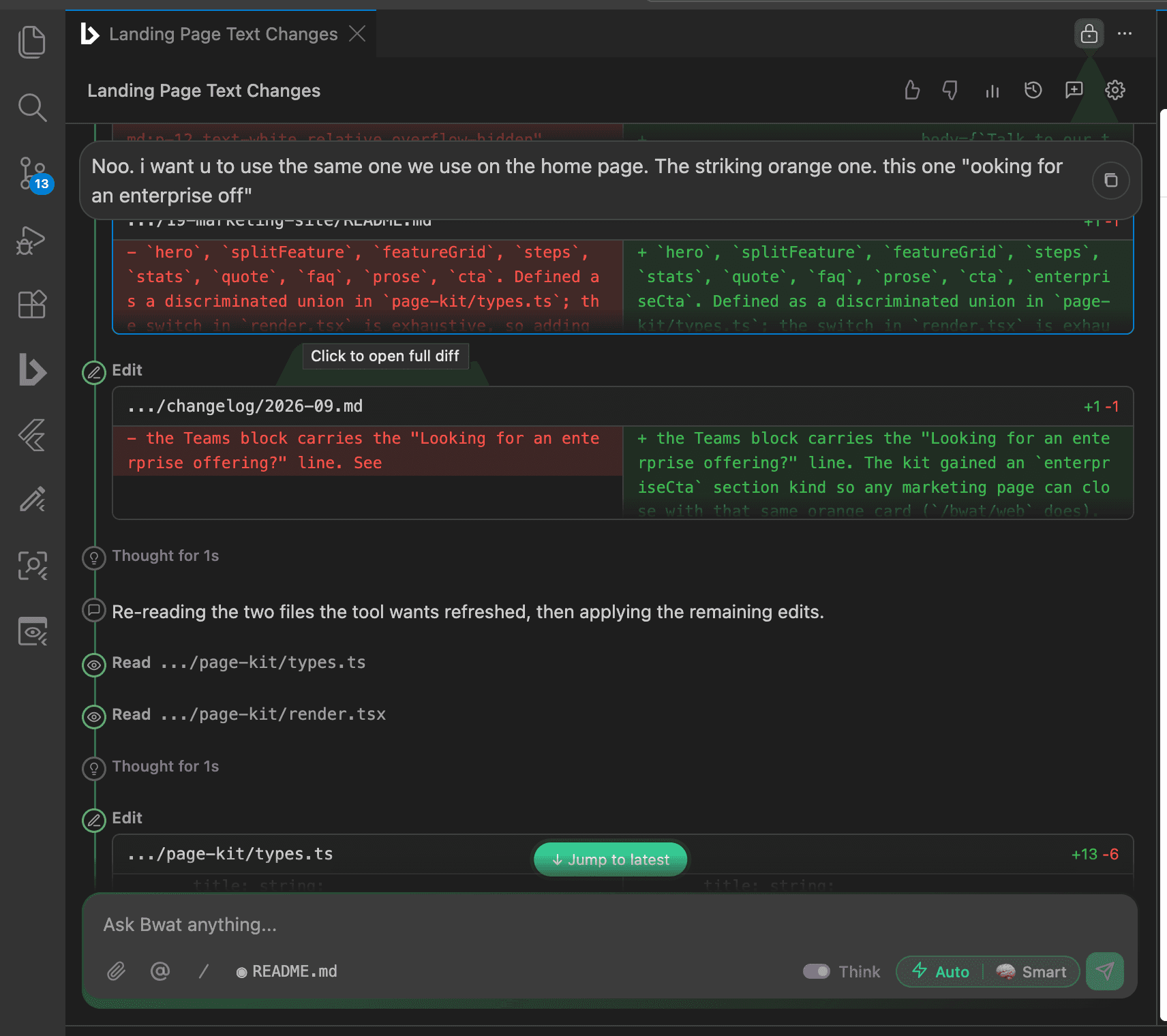
It works from the repository that exists
The agent starts by reading. It can search files, follow symbols, inspect diagnostics, use the selected code and active editor as context, and read the instructions your project keeps in AGENTS.md or CLAUDE.md.
- Search and read across the open workspace
- Use selections, file mentions, diagnostics, and Git context
- Remember project-specific facts in a private local memory
- Run the repository's own checks instead of inventing a test plan
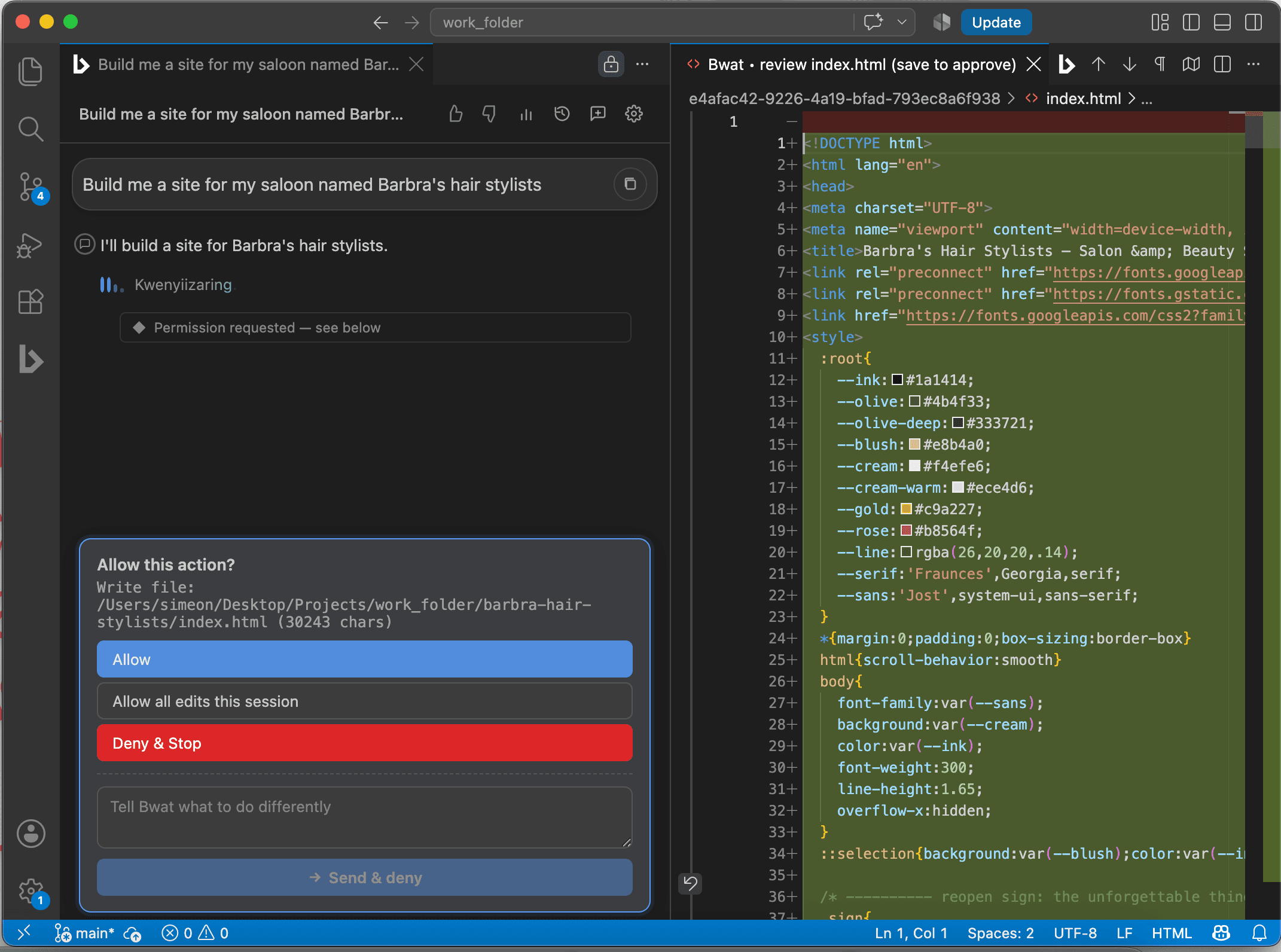
Review the proposed file, not a tiny chat excerpt
When an edit needs approval, Bwat opens a native editable diff. You can read the complete change, adjust the proposed side yourself, save to accept, or close it to deny and stop.
- The real file is untouched until you approve
- Edit Bwat's proposal before it lands
- Choose Manual, Edit Automatically, Plan, or Full Auto mode
- Stop an active run whenever the direction is wrong
Choose the mode by risk
- Manual for unfamiliar repositories and sensitive changes
- Edit Automatically when you want to review commands but not every file write
- Plan when the approach needs agreement before implementation
- Full Auto for bounded work in a folder you trust
Work worth handing over
Understand an unfamiliar system
Trace a request through routes, services, state, and tests with the relevant files cited.
Fix the cause of a bug
Reproduce the failure, follow the state that produces it, make the focused change, and verify it.
Build across several files
Implement a feature in the existing architecture instead of returning disconnected snippets.
Add tests that prove behaviour
Find the uncovered boundary, follow the repository's test style, and run the smallest relevant suite first.
Review a branch
Inspect the actual diff for correctness, regressions, unsafe handling, and missing coverage.
Work inside a boundary
File tools are scoped to the open workspace and any additional folders you explicitly grant.
Before you install
- Is this a different agent from the CLI?
- No. VS Code and the CLI run the same agent engine and share local sessions on the same machine. Choose VS Code for editor context and native diff review; choose the CLI for shells, SSH, pipes, and headless runs.
- Does source code leave my computer?
- The workspace stays on your computer. Relevant context needed for a model call is sent through Bwat's server to the configured inference provider. Provider credentials are not stored in the extension.
- Can it act without asking every time?
- Yes. Permission modes range from approval before actions to Full Auto inside the workspace boundary. Start in Manual mode until you know how the agent behaves in your project.
Start with a repository you know
Ask Bwat to map one request path or fix one reproducible bug. Familiar code makes the first review honest.