

Bwat CLI
The agent, without the editor
For terminals, remote machines, and repeatable runs
The CLI uses the same engine, tools, project instructions, permissions, memory, and local session history as Bwat in VS Code. What changes is the interface: text in, terminal output, no editor required.
Requires Node.js 22 or newer. Runs on Windows, macOS, and Linux.
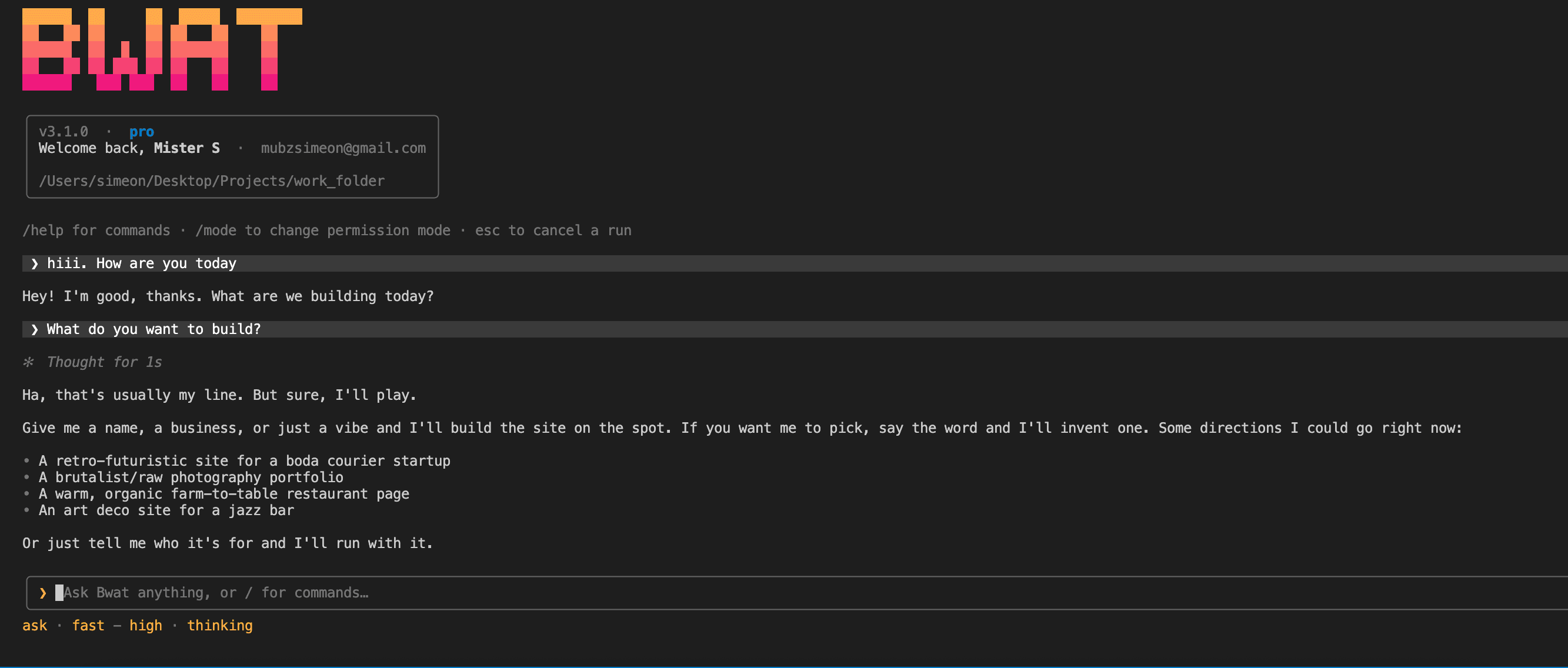
Use it where a panel would get in the way
Launch Bwat from the directory you want it to understand. Stay interactive for an investigation, run once with a prompt, pipe logs or command output into it, or reconnect to the last conversation for that folder.
- Interactive sessions with mid-run steering
- One-shot work with bwat -p
- Piped context from another command
- Continue or resume conversations scoped to the current folder
Choose the CLI for
- A server reached over SSH
- A container with no desktop
- A repository you already drive from the shell
- A repeatable job that should return plain output
Same engine, terminal-native workflow
Read, edit, and run
Work across the current folder, execute commands, inspect results, and keep iterating in one session.
Work on the machine with the problem
Run Bwat over SSH so logs, configuration, and services can be inspected where they live.
One-shot commands
Use -p when a prompt should run and exit, including unattended jobs with an explicit trust decision.
Parallel investigation
The engine can delegate bounded exploration and review work while the main task continues.
Folder-scoped history
Resume the work associated with this directory instead of searching a global list of unrelated chats.
Your existing Bwat account
Sign in through the device flow. The CLI holds no model-provider key of its own.
CLI or VS Code?
- Do they have different capabilities?
- The agent engine and toolset are shared. VS Code adds selections, diagnostics, editor context, and native editable diffs. The CLI adds pipes, one-shot output, SSH-friendly operation, and a terminal interface.
- Can I continue previous work?
- Yes. Use --continue for the most recent conversation associated with the folder, or --resume to choose one.
- Can a script call it?
- Yes. Use -p or --prompt for a one-shot run, and pipe additional context through standard input. Unattended access to a folder must be granted explicitly.
Install once, start from the folder
Run npm i -g bwat, change into a project, and type bwat. The docs cover permissions, session controls, and headless use.